
Help Center · Stories and clips
Profile of a story
When viewers tap the name or picture at the top of the player, the profile opens: a short description, your website and your social profiles.
Where the details come from
There are two levels:
- Company profile (Settings → Profile): name, logo, description, website, social profiles of your organisation. Applies to all stories.
- Story profile (Profile tab of the story): description, website and social profiles for this story only. What you fill in here overrides the company profile; empty fields inherit it.
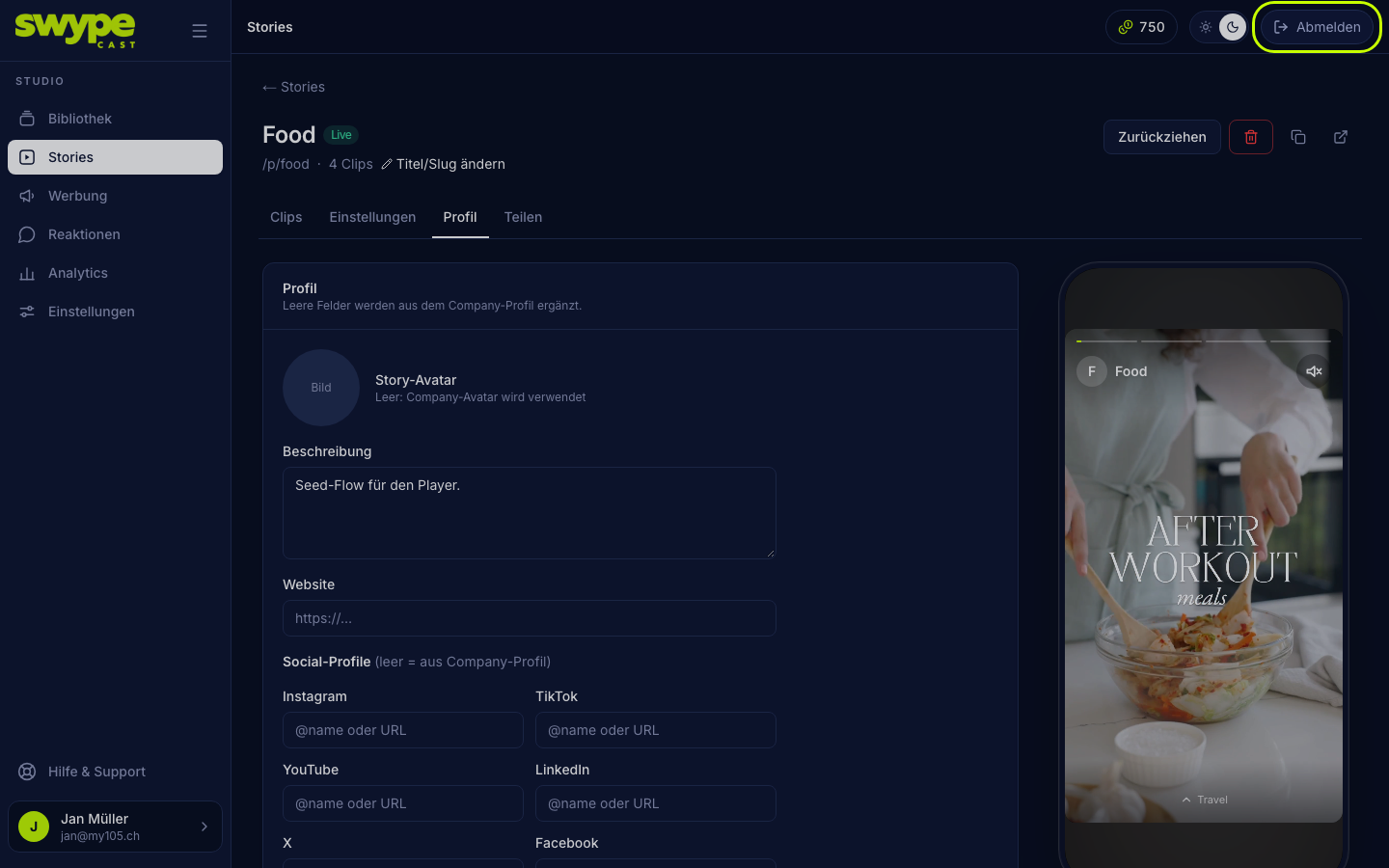
How to fill it in
- Open the story and switch to the Profile tab.
- Story avatar: an image for this story, otherwise the organisation's logo. It appears top left in the player, in the QR code with the "own image" design and as the article image in the feed.
- Description: one or two sentences.
- Website: the full address with
https://. It appears as a button in the profile. - Social profiles: Instagram, TikTok, YouTube, LinkedIn, X, Facebook, Spotify, the full link or the user name.
Without description, website and social profiles no profile opens, and the name in the player is not clickable.
Legal notice and privacy
If you have entered a legal notice and privacy policy under Settings → Legal, the profile links them at the bottom, see Legal in the player.
Was this helpful?