
Keep an eye on usage and limits
So you are never surprised, the studio shows in several places how much of your plan is used.
The bars
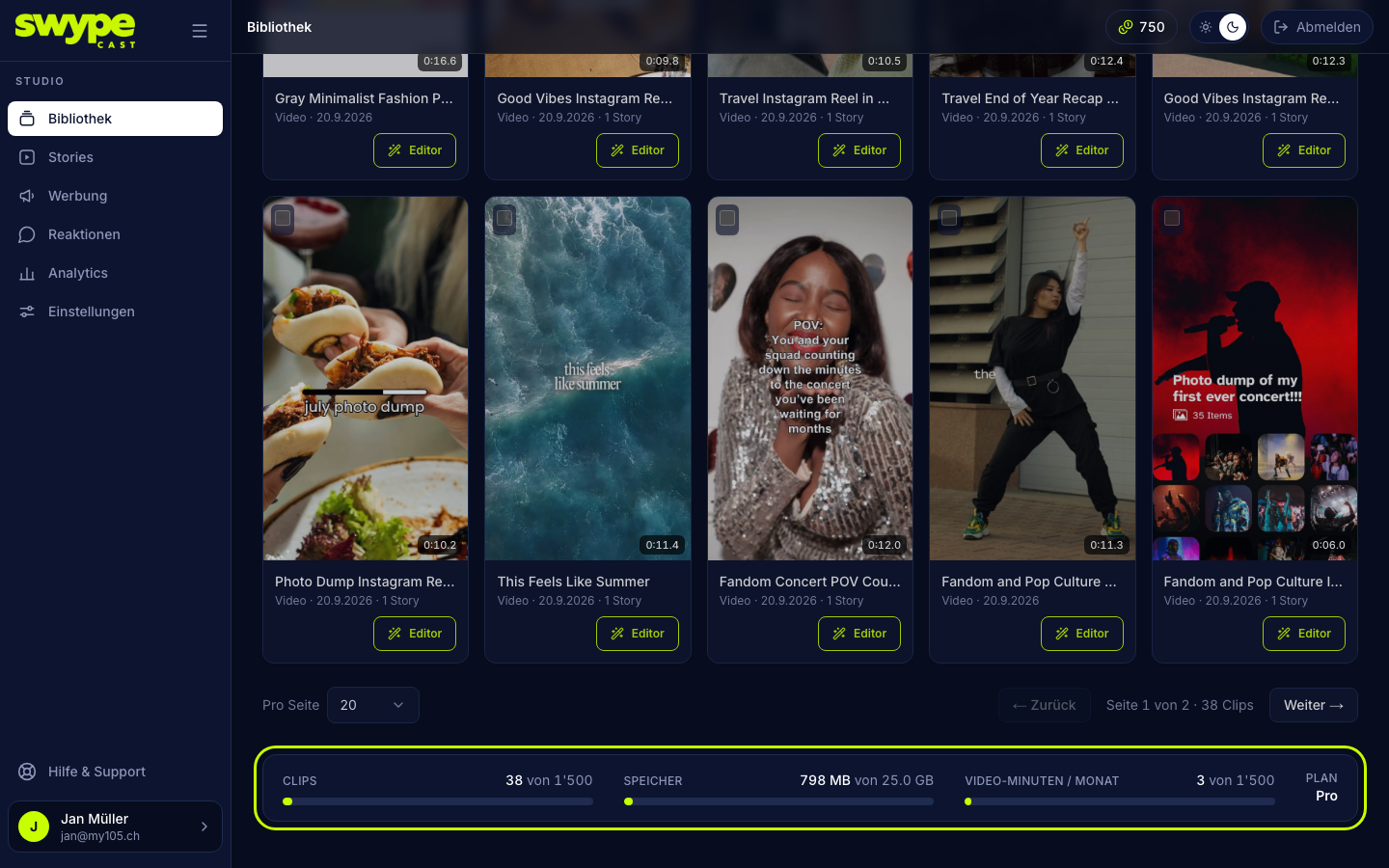
- Library (at the bottom of the page): clips, storage and video minutes this month.
- Settings → Team: seats.
- Settings → Subscription: everything at a glance: stories, clips, storage, video minutes and seats.
- Settings → AI credits: included, purchased and available credits. The credit badge at the top right of the studio shows your balance at any time.
Views
The studio shows this month's views once they run low: from 90 % a note at the top shows how many are left, and you get an e-mail. See plan takes you straight to the subscription.
What happens at the limit
- Stories, clips, seats: creating, uploading or inviting reports that the limit is reached. What exists stays.
- Storage, video minutes: the upload is refused until there is room again or the month changes.
- Views: the player pauses until next month; meanwhile your stories show a short notice. A bigger plan brings it back right away, see Subscription and payment.
- AI credits: without enough credits no generation starts. You can buy packs at any time.
Make room
Delete clips you no longer need (Library → tick → Delete), or delete stories you no longer show. You delete a story with the bin in the story editor or via the checkboxes in the story list.
Was this helpful?