
Buy and manage AI credits
Every AI generation in the editor costs credits. Each month your plan gives you credits, and if they are not enough you buy packs on top. How the generation itself works is explained in Create clips with AI.
Where to find it
- Settings → AI credits.
- Top right in the studio your current balance shows with a coin icon. A click on it leads to the same page. When the icon turns orange, fewer than 35 credits are left.
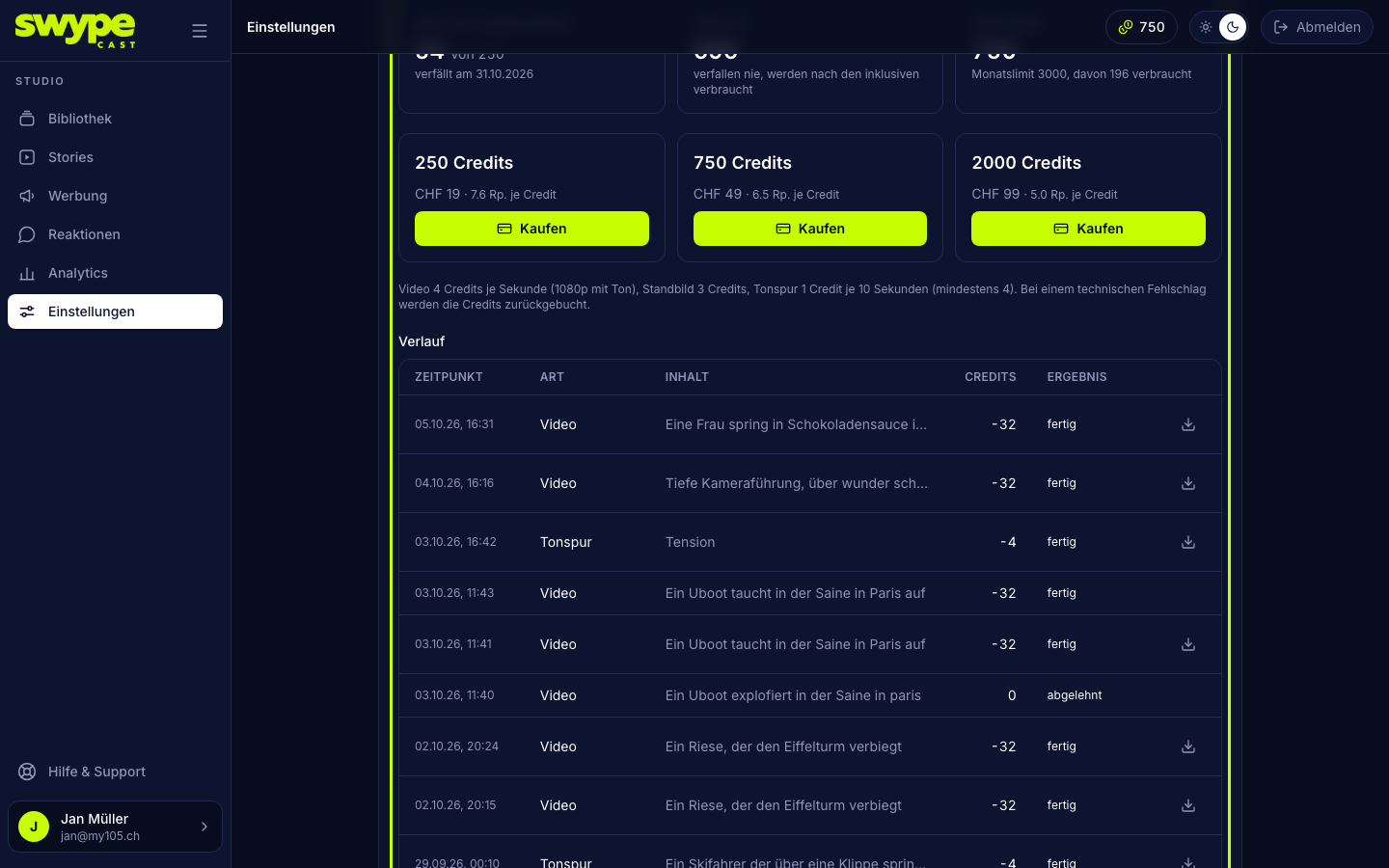
Your balance
The page shows three figures:
- Included this month: what is left of your plan's credits, and when they expire (at the end of the month).
- Purchased: credits from packs. They never expire and are only used once the included ones are gone.
- Available: both together, and below it the monthly limit and how much of it has been used this month.
Included credits per plan
- Team: 80 credits per month
- Pro: 250 credits per month
- Business: 600 credits per month
The Free plan has no AI generation. There the page only shows a hint with Change plan.
Buy credits
- Open Settings → AI credits.
- Pick a pack: 250 credits for CHF 19, 750 credits for CHF 49 or 2000 credits for CHF 99. Next to the price it shows what one credit costs in that pack.
- Click Buy. Payment runs through Stripe.
- After paying you come back to the page, and the credits appear under Purchased.
Only admins of the organisation can buy. For everyone else the button is greyed out.
The monthly limit
To protect against mistakes, every organisation has a limit on how many credits it can use in one month, currently 3,000. The limit counts included and purchased credits together. Once it is reached, the Editor declines further generations, even if purchased credits are still there.
The history
Under History you find every generation and every purchase: time, kind (image, video, sound track or pack purchased), the text of the description, the credits and the outcome. A click on the description opens the draft it was made in. You download finished results directly via the icon on the right.
If a generation fails for technical reasons, it says refunded, and the credits are back.
What costs what
- Still image: 3 credits.
- Video: 4 credits per second.
- Sound track: 1 credit per 10 seconds, at least 4.