The studio at a glance
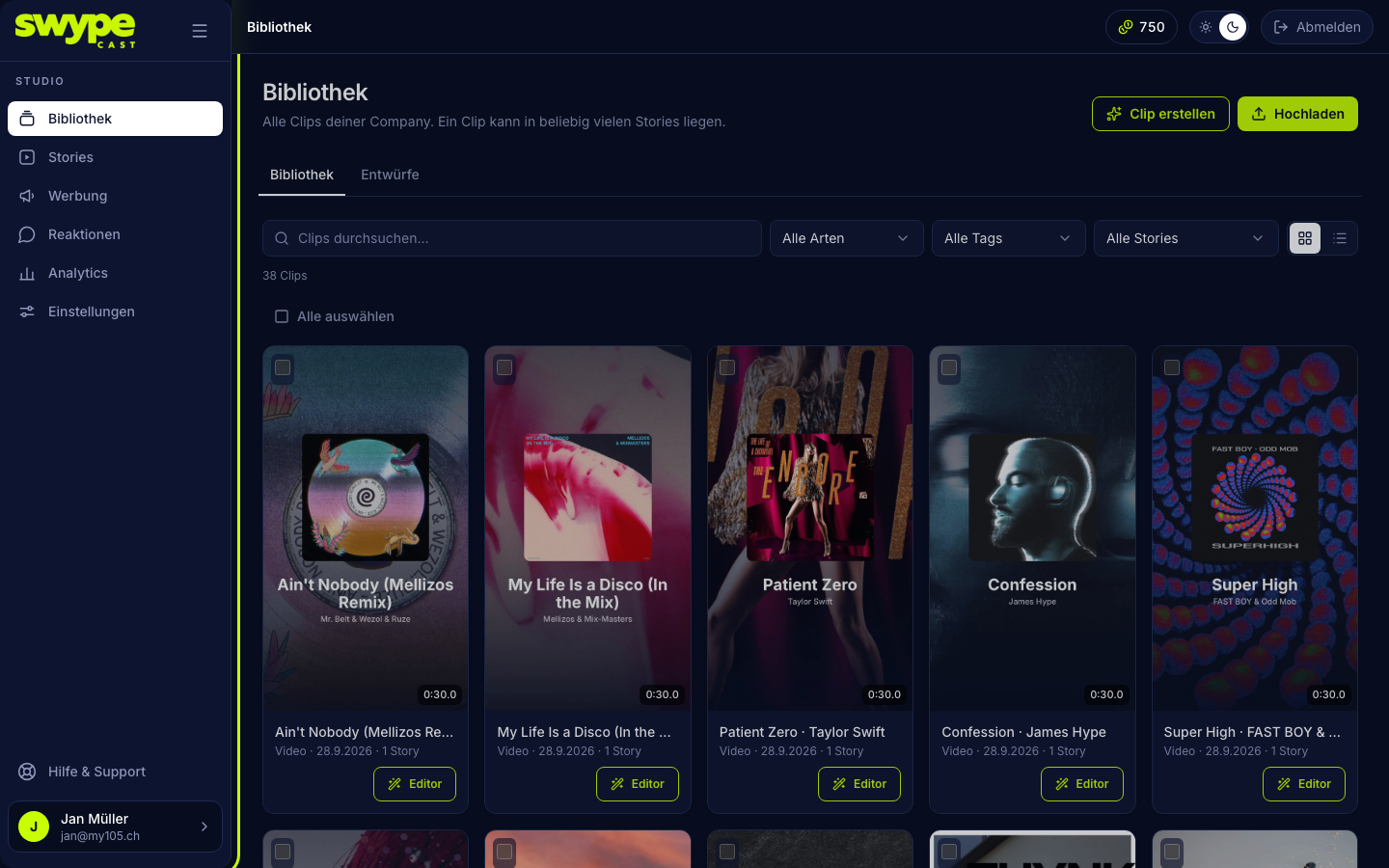
The studio is your workspace. The areas are on the left, the content of the chosen area on the right.
The areas
- Library: all clips. Upload clips here, build new ones in the editor and find your drafts.
- Stories: your stories, the sequences of clips your viewers see. Plus the Share & embed tab for the whole row.
- Advertising: your own ads: creatives (the ad clips) and campaigns (when and where they run). Only visible if your plan includes advertising.
- Reactions: all feedback from your viewers in one place. The tabs are Inbox (reactions, comments and answers as a timeline), Moderation (approve or hide comments) and Story reactions (totals per story).
- Analytics: numbers on views, watch time, clicks, ads and votes.
- Settings: profile, subscription, AI credits, team, moderation, advertising, advertisers, player, domain and legal.
- Help & Support: opens this help center in a new tab.
The header
At the top right you find, depending on your plan:
- your AI credits: a click opens Settings → AI credits. The counter only appears if your plan includes AI generation.
- the switch between light and dark design. The choice is remembered on this device.
- Sign out.
The account card
Bottom left you see your name (or your organisation's) with your email. Clicking it opens your account: photo, name, password, sign-in methods, sign out and account deletion.
Collapse the sidebar
The icon next to the logo collapses the sidebar to icons only. On phones the menu icon at the top left opens the sidebar.
Saved automatically
Forms in the studio have no save button: every change is saved shortly after you type. A small line below the form shows Saved, Saving… or an error. The exceptions are forms where half an entry would do harm, such as a password. Those have their own button.
Notifications
Messages from the studio appear as a small panel at the top right. Successes and hints disappear by themselves after a few seconds; errors stay until you close them.