
Manage advertisers and reports
Advertisers
Advertisers are your advertising clients. You manage them under Settings → Advertisers: name, contact person, contact e-mail, address and internal notes. The search field looks through name, contact person, e-mail and address.
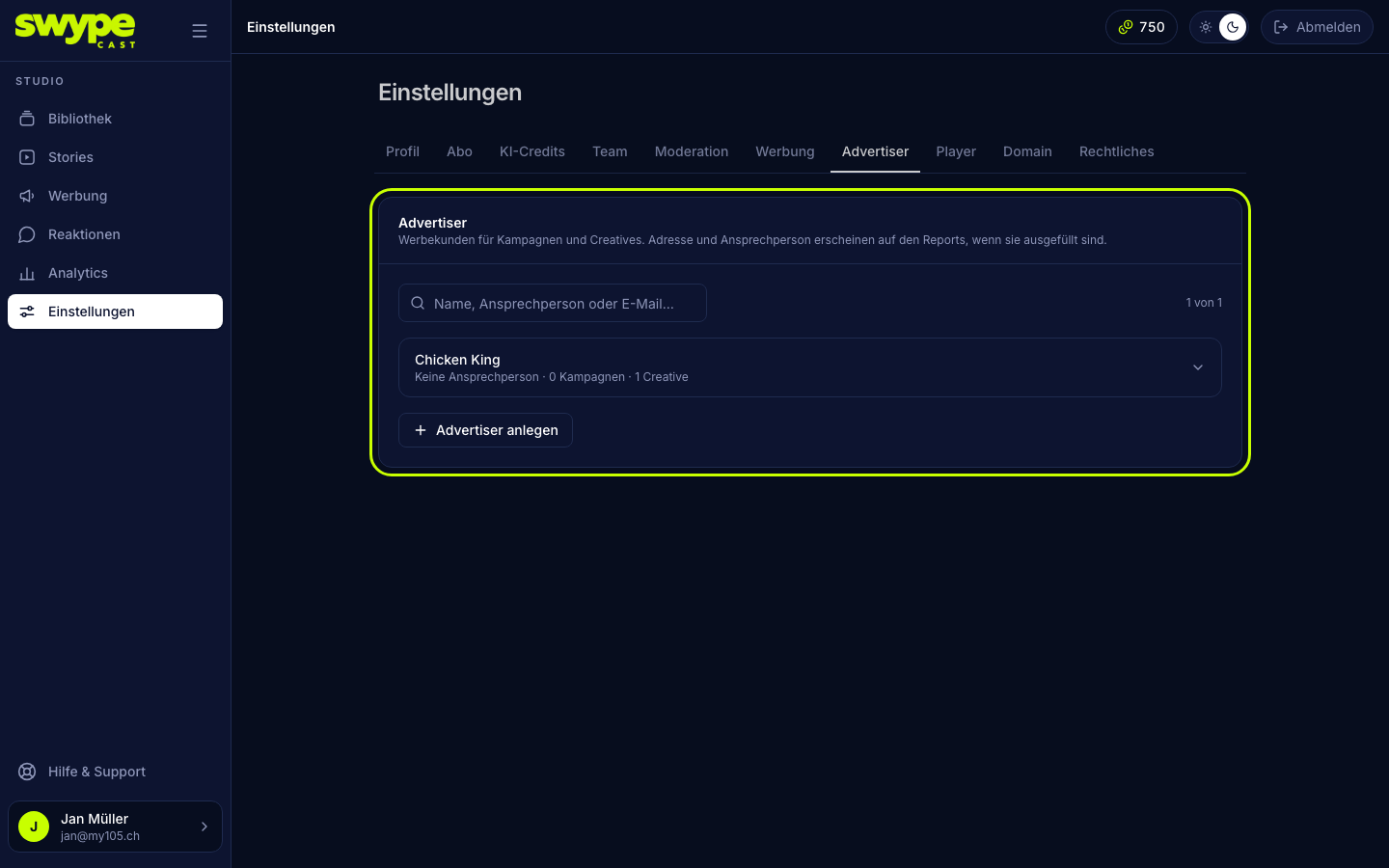
- Click New advertiser, fill in the fields and click Create advertiser.
- Clicking a row opens it. There you change the details and save with Save.
- Delete only works once the advertiser has no campaigns left.
When you create a creative or a campaign you choose the advertiser; + Create new advertiser… adds one right in the form. If you rename an advertiser, the name is updated everywhere: in campaigns, creatives and the player.
Report per campaign
The quickest way: open the campaign under Advertising and click CSV or PDF report at the top right. The report covers the whole run time.
For a period of your choice:
- Open Analytics → Advertising and choose the campaign.
- Choose the period.
- Click CSV or PDF report.
The PDF report carries the advertiser's address at the top and contains the key figures (impressions, completion rate, CTR, skip rate, clicks, fill rate, frequency per session) plus tables per creative, per story and per day.
Report across several campaigns
In Analytics → Advertising switch the view to Advertiser (all campaigns of one client) or All campaigns. The export follows your choice.