
Customise the player design
Under Settings → Player you adapt the player to your brand. Changes save automatically and apply to all stories. The preview on the right shows colours and font straight away.
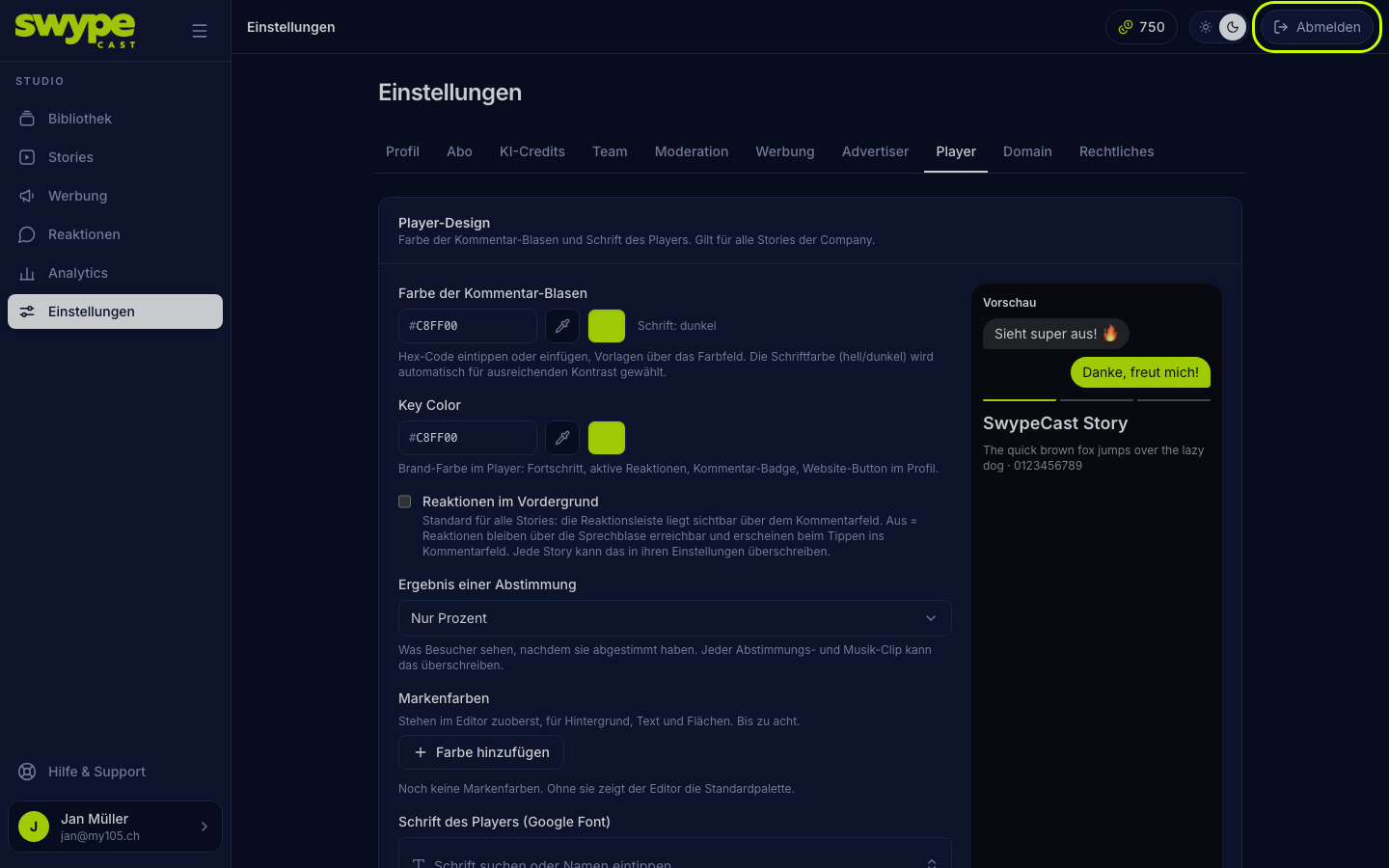
Comment bubble colour
The colour in which viewers' own comments appear. Enter a hex code or pick the colour in the colour field. SwypeCast chooses the text colour (light or dark) automatically so it stays readable.
Key colour
Your main colour in the player: progress bar, active reactions, comment counter and the website button in the profile. The player is always dark, so choose a colour that reads well on dark.
Reactions in the foreground
When ticked, the reaction bar sits visibly above the comment field. When not ticked, reactions stay reachable through the speech bubble. This is the default for all stories; each story can override it in its settings.
Vote result
After voting, visitors see either percent and number of votes or percent only. With few votes "percent only" looks calmer. Every clip with a vote can override this in the editor.
Brand colours
Up to eight colours of your brand. They sit at the top in the editor, for background, text and shapes. Without brand colours the Editor shows the standard palette.
Font
Under Player font (Google Font) you choose a font from all Google Fonts, popular ones first. Typing searches. Empty means the default (Inter). The font loads as soon as the player starts.
Your own fonts
In the Own fonts box you upload your brand font:
- Enter the font name, for example "Acme Sans".
- Confirm with the checkbox that you hold the rights to use the font.
- Click Upload font and pick the file: WOFF2, WOFF, TTF or OTF, up to 3 MB.
The font then appears in the player's font choice and in the editor.
What cannot be changed
Layout, icons and controls of the player are fixed so viewers find their way everywhere. The "Powered by SwypeCast" label in the player appears only on the Free plan.