
Embed stories on your website
You can place your stories directly in your website or shop. There are two ways: a single story as a player, or the whole story row as tiles or round pictures.
Embed a single story
- Open the story and switch to the Share tab, sub-tab Link and embed.
- Copy the embed code with the copy icon.
- Paste it into your website where the player should appear: in WordPress, Webflow, Squarespace, Wix or Shopify as an "HTML" or "Code" block.
The code looks roughly like this:
<iframe src="https://your-name.swypecast.com/summer" width="360" height="640" …></iframe>
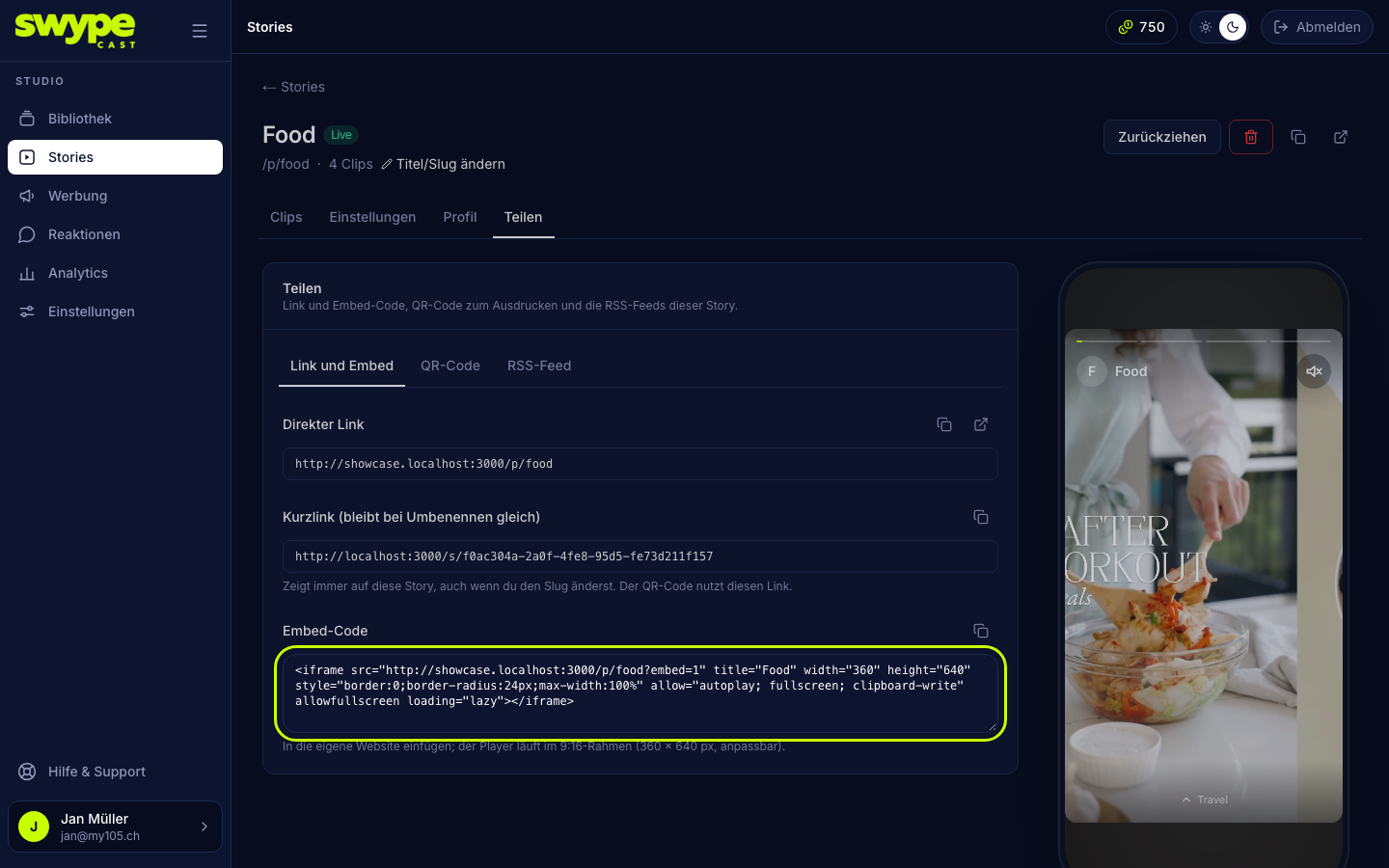
The story must be live, otherwise the code shows nothing. Embedding single stories works in every plan.
Adjust the size
- The player is always in 9:16 portrait format. Change
widthandheightin proportion, e.g. 270 × 480 or 405 × 720. max-width:100%keeps the player from overflowing on phones.- At a size other than 9:16 the stage is scaled to the width and softly backed at the top and bottom; nothing is cropped.
In the embedded player
- Swiping up and down switches between your live stories.
- Sound only starts if the browser allows it; otherwise the player shows Sound on.
- If you add
?embed=1to the address in the code (…/summer?embed=1), the player hides the share button and the cookie notice. Your website then takes care of the notice.
Embed the whole story row
The row shows all live stories of your organisation side by side, most recently updated first. A click opens the player.
- Open Stories and switch to the Share & embed tab, then Embed.
- Choose the type: Tiles in story format or Round pictures.
- Set size, click behaviour and labels (see below).
- Check the result in the preview (mobile or desktop) and copy the embed code.
The settings:
- Size: fluid (adapts to the width) or fixed sizes for mobile (390 px) or desktop (960 px). If not all stories fit, the row scrolls inside the frame.
- Click opens the player: in the same window (recommended, stays inside in-app browsers) or in a new tab.
- Content moves (tiles only): the visible tiles play their first clip muted. Off means still images only, even lighter.
- Labels: for light or for dark backgrounds.
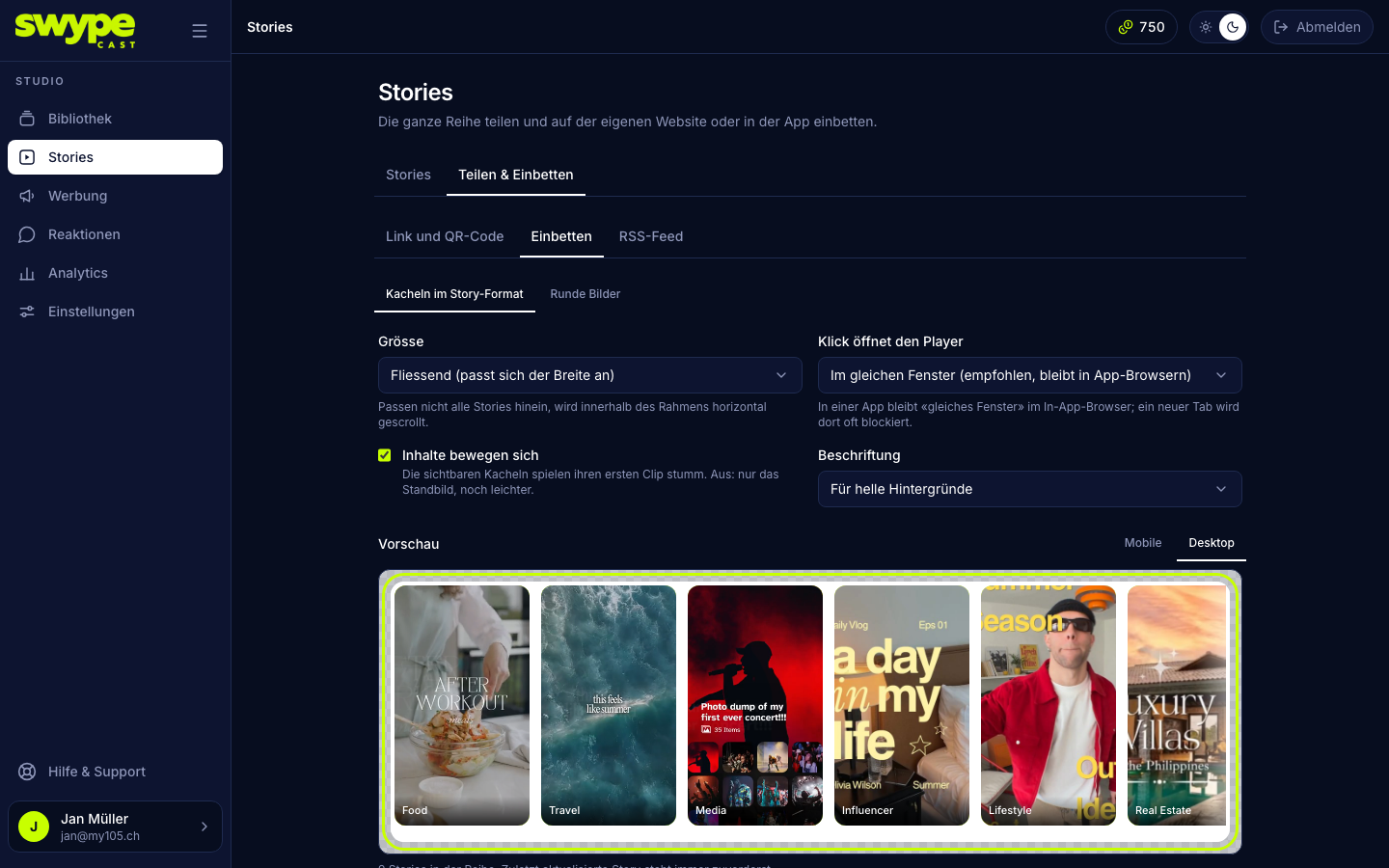
The row's background is transparent, so it blends into your page. New or changed stories appear within a minute.
Instead of embedding: link
A button or image on your website that leads to the story link opens the player full screen. On phones that is often the better experience.