
Help Center · Stories and clips
Order of stories
All live stories of your organisation form a row: when viewers swipe up in the player, the next story comes; after the last one, the first again. The same order applies to Start the next story at the end of a story.
Change the order
- Open Stories.
- Drag a story by the grip on the left, up or down, or use the Move up and Move down arrows in the row.
- The new order is saved at once.
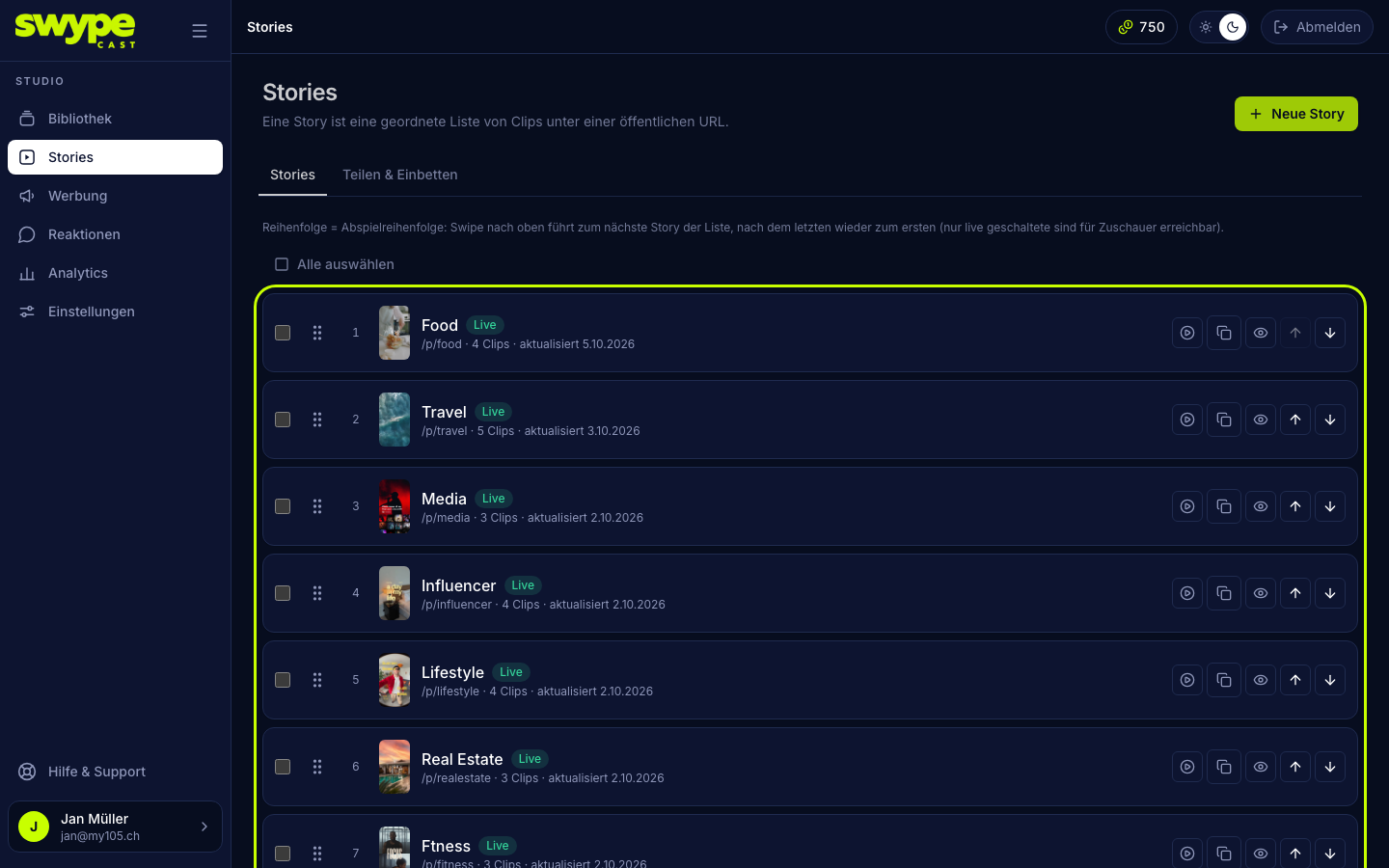
Each row shows thumbnail, title, status, link, number of clips and the date of the last change. On the right you copy the link and use the eye icon to decide whether the story is listed in the row.
Good to know
- Drafts and stories without clips are not part of the row.
- A story you mark as not listed in the row with the eye icon appears dimmed. The player does not swipe into it, and it is missing from the embedded rows and the feed. Through its own link it plays on its own.
- New stories are added at the end.
- The start page of your address (
your-name.swypecast.com) opens the first listed live story. - A story embedded on your website also shows the neighbours from this row when swiping.
Was this helpful?